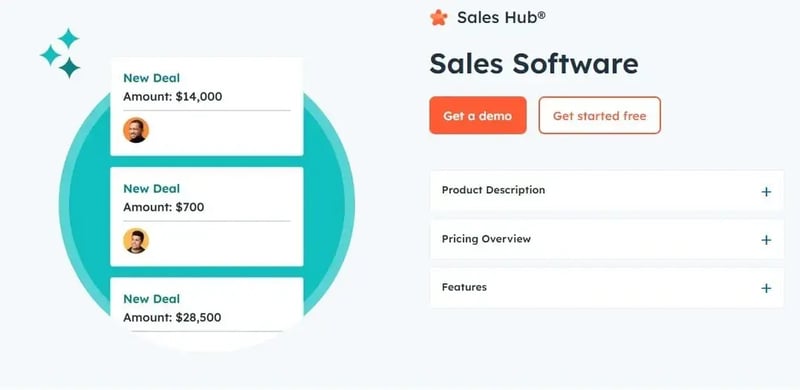
Sales automation in HubSpot is not about making the team work faster. It is about taking the manual work that does not generate revenue off their plate: routing leads, updating dates, creating tasks, moving deals between stages. Set up well, it keeps the pipeline clean and frees reps for the one thing only they do, which is close.
These workflows require HubSpot Sales Professional or Enterprise (the free and Starter tiers do not include advanced automation). They are the ones with the most impact on a B2B operation.
Automatic lead routing
Ensures every new lead has an owner within seconds, with nobody assigning by hand.
- Contact-based workflow, triggered on a contact form or demo request.
- "Rotate record to owner" action, with even rotation across the team.
- Immediate task for the rep to contact the lead, personalised with name and company.
High-intent page notifications
When a contact visits the pricing page, it is a signal of real interest. The workflow alerts the rep to act while the interest is warm.
- Page-view-based workflow, triggered on URLs containing "pricing".
- Notification to the contact owner and a follow-up task based on the behaviour.
Deal creation after meetings
Removes the manual step of creating the deal whenever a meeting is booked through a scheduling link.
- Trigger on the meeting form submission.
- Automatic deal creation, with a personalised name, the right pipeline and stage (for example "Meeting booked").
Alert for deals with no next activity
An open deal with no next action scheduled is a cooling deal. This workflow does not let that happen.
- Trigger when the "Next activity" property is empty.
- After a day, it creates a task reminding the rep to schedule the next step.
Close dates in the past
Out-of-date close dates wreck any revenue forecast. This workflow forces the fix.
- Trigger when the close date is earlier than today and the deal is still open.
- Notification to the owner to update the date immediately.
Automatic close of won deals
When a payment lands or a proposal is signed, the deal moves to "Closed won" with no manual step.
- Trigger on payment recorded or proposal signed.
- The deal moves automatically to the "Closed won" stage.
Internal alert on a won deal
Keeps the team aware of wins and gives real-time visibility of closed pipeline.
- Trigger on the stage changing to "Closed won".
- Automatic message in Slack or Teams, with the deal value and client name.
Reactivation of inactive leads
Contacts that engaged in the past and went cold still have value. This workflow tries to win them back before writing them off.
- Trigger on "Last activity date", for example no interaction in 90 days.
- A re-engagement email sequence with relevant content (cases, updates).
- If there is no reply, a task for the rep to try direct contact.
- Content segmented by prior behaviour (visited pricing, downloaded a resource).
How SmartLinks handles this
These workflows are worth nothing in isolation. They are worth something when they sit on a CRM with lifecycle stages, properties and governance well defined, otherwise they automate the chaos instead of fixing it. That is our CRM & RevOps and Sales Engine work: design the process first, automate after.
As a HubSpot Platinum Solutions Partner, we implement these and other workflows adapted to your sales cycle.
If your sales team spends the day updating fields and creating tasks by hand, you have revenue leaking out. See where in the Diagnosis.